The Ordinary.
Website Redesigned.
Redesigned
Redesigned
Ux Designer
Ux Designer
Redesigned
1 week
1 week
Ux Designer
1 week
Figma
Figma
Figma
Overview
The Ordinary is famous for its simple, clinical approach to skincare. But while their products are straightforward, their website is anything but. I took on this redesign to fix a digital experience that felt outdated and overwhelming, bringing the brand’s less is more philosophy to their online store.
The Ordinary is famous for its simple, clinical approach to skincare. But while their products are straightforward, their website is anything but. I took on this redesign to fix a digital experience that felt outdated and overwhelming, bringing the brand’s less is more philosophy to their online store.
The Problem: High Cognitive Load
Navigation Overload
Navigation Overload
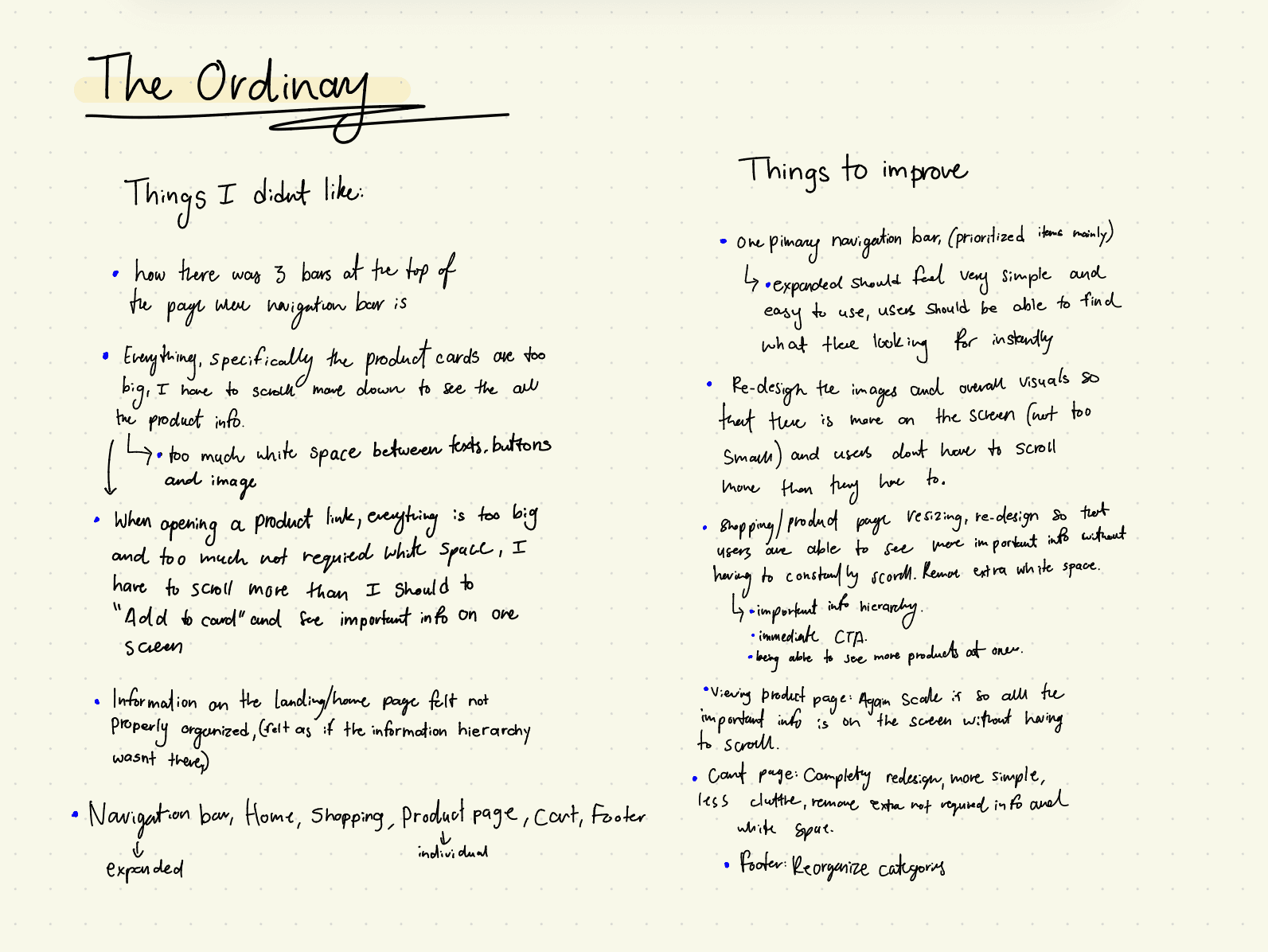
The site currently uses three separate navigation bars. This creates a massive cognitive load, meaning the user has to think too hard just to figure out where to click.
Scaling Issues
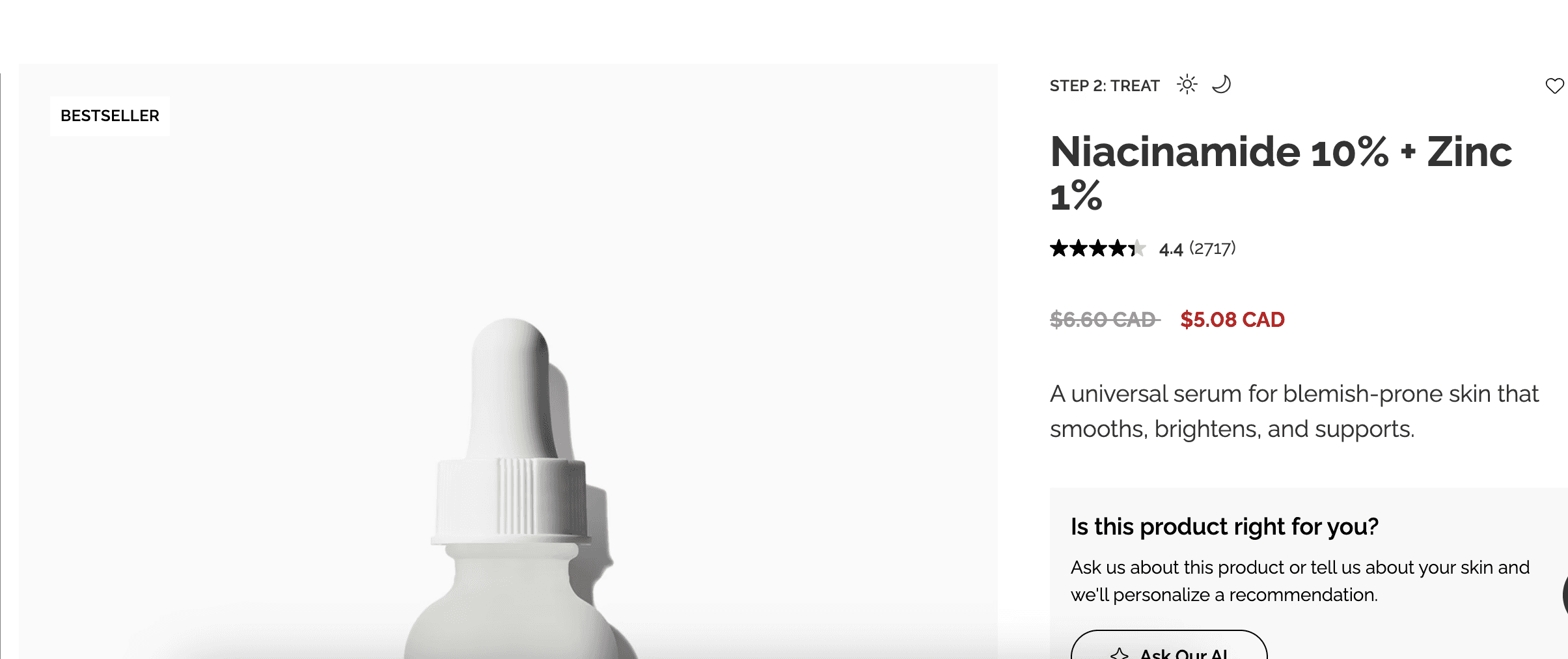
The product images were way too large for the viewport. You couldn't see the photo, the price, and the "Add to Cart" button in one view, which forced unnecessary scrolling.
Information Density
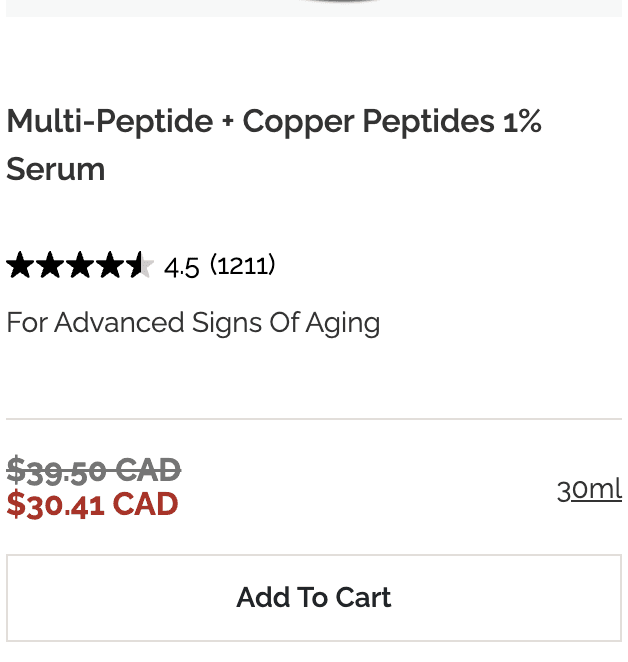
There was too much white space in the wrong places, yet the page still felt cluttered. It was a weird mix of empty and messy.

Navigation Overload
Scaling Issues
Information Density
My thinking process
My thinking process
The Solution
I wanted to create a high-end clinical feel. I kept the signature look but made it feel more clean by being intentional with every pixel.
Unified Navigation
I combined three separate, confusing menus into one clean navigation bar. By focusing only on the links people actually use and adding more space around the headers, I made the layout feel much lighter. This simplified the site’s structure, making it faster for users to find what they need.
Optimized Viewports
Optimized Viewports
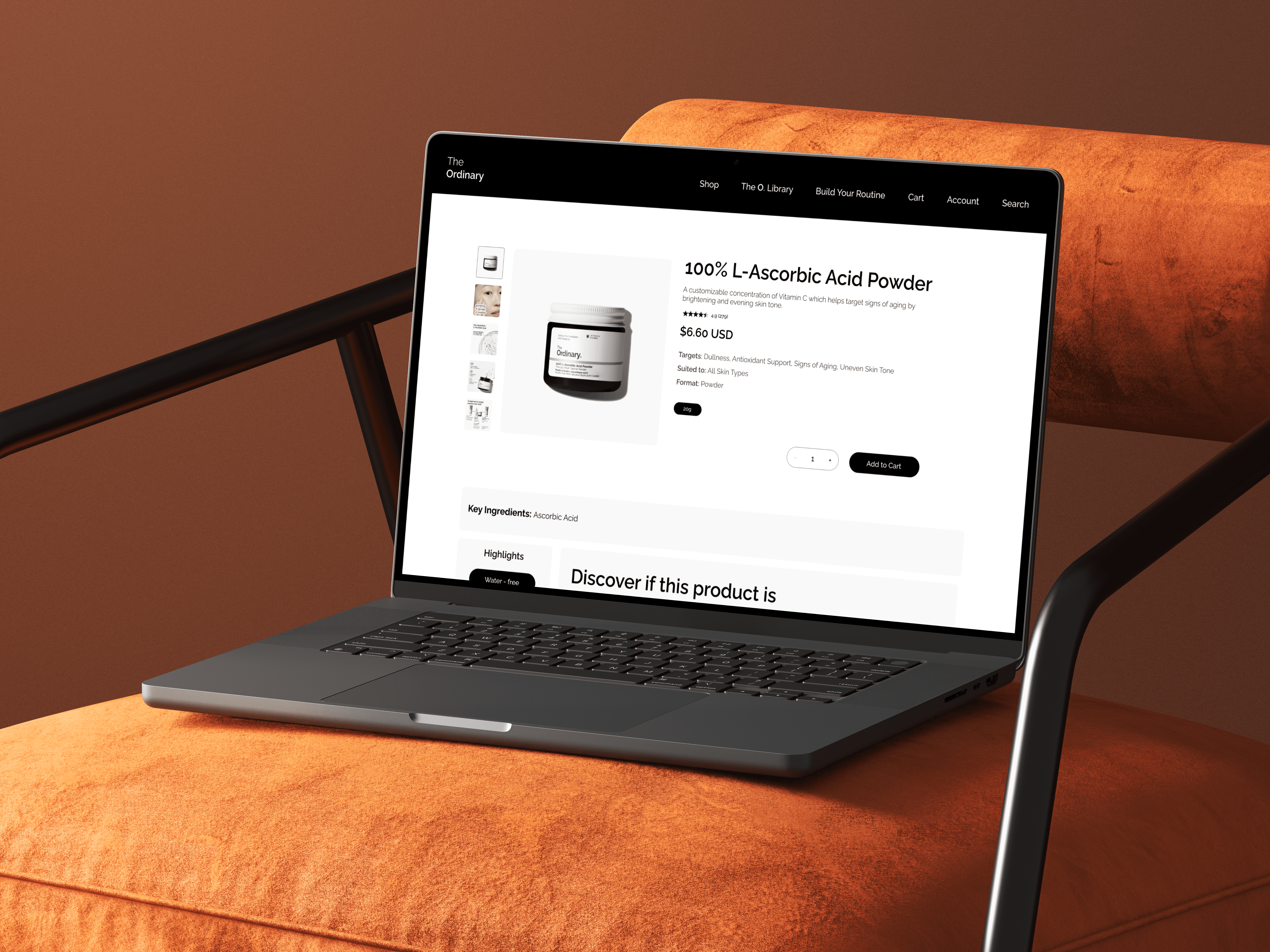
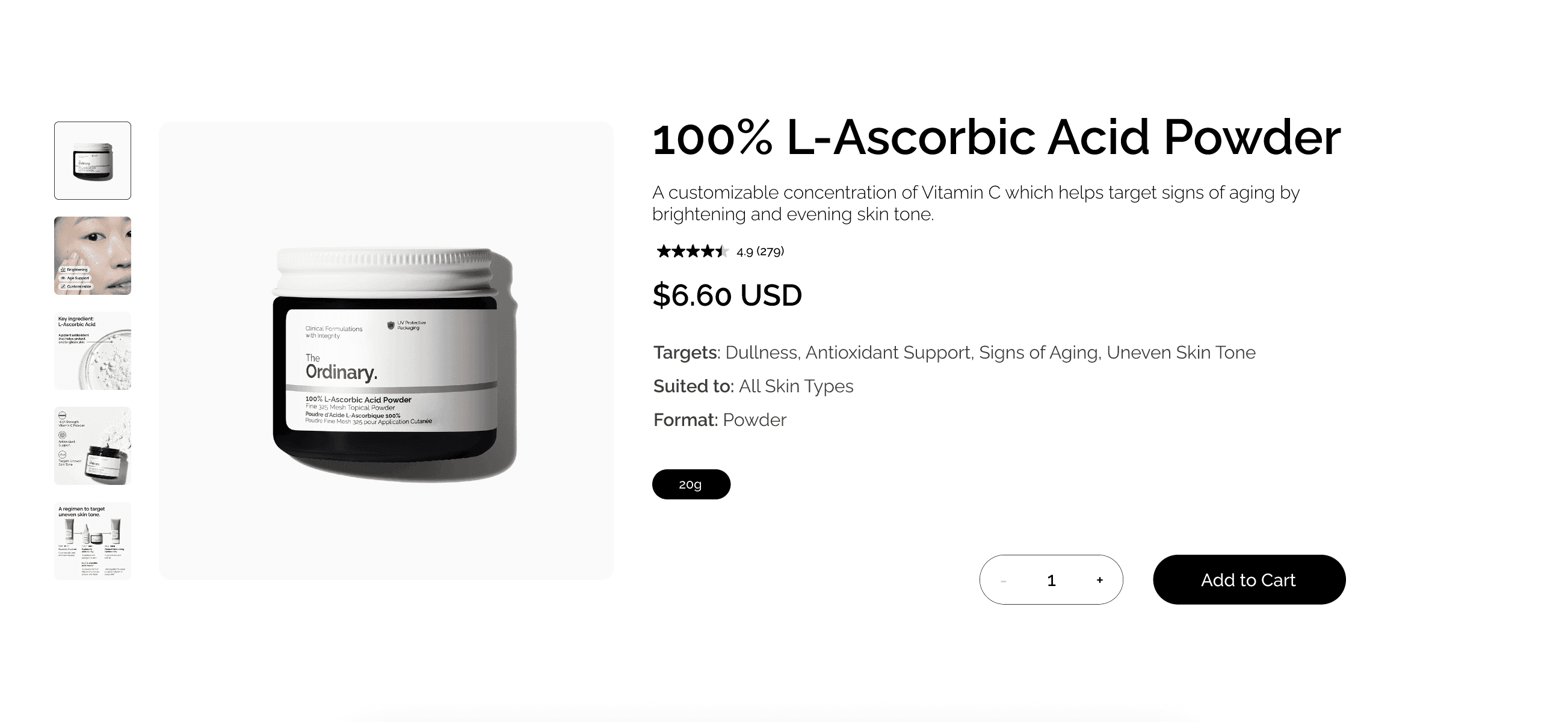
I redesigned the product pages to ensure all important details are visible without extra scrolling. In the original design, oversized images forced users to scroll just to find the price or purchase buttons. By scaling photos to an appropriate size, I brought all essential information into one clear, immediate view, making the decision to buy much faster.
Structured Layout
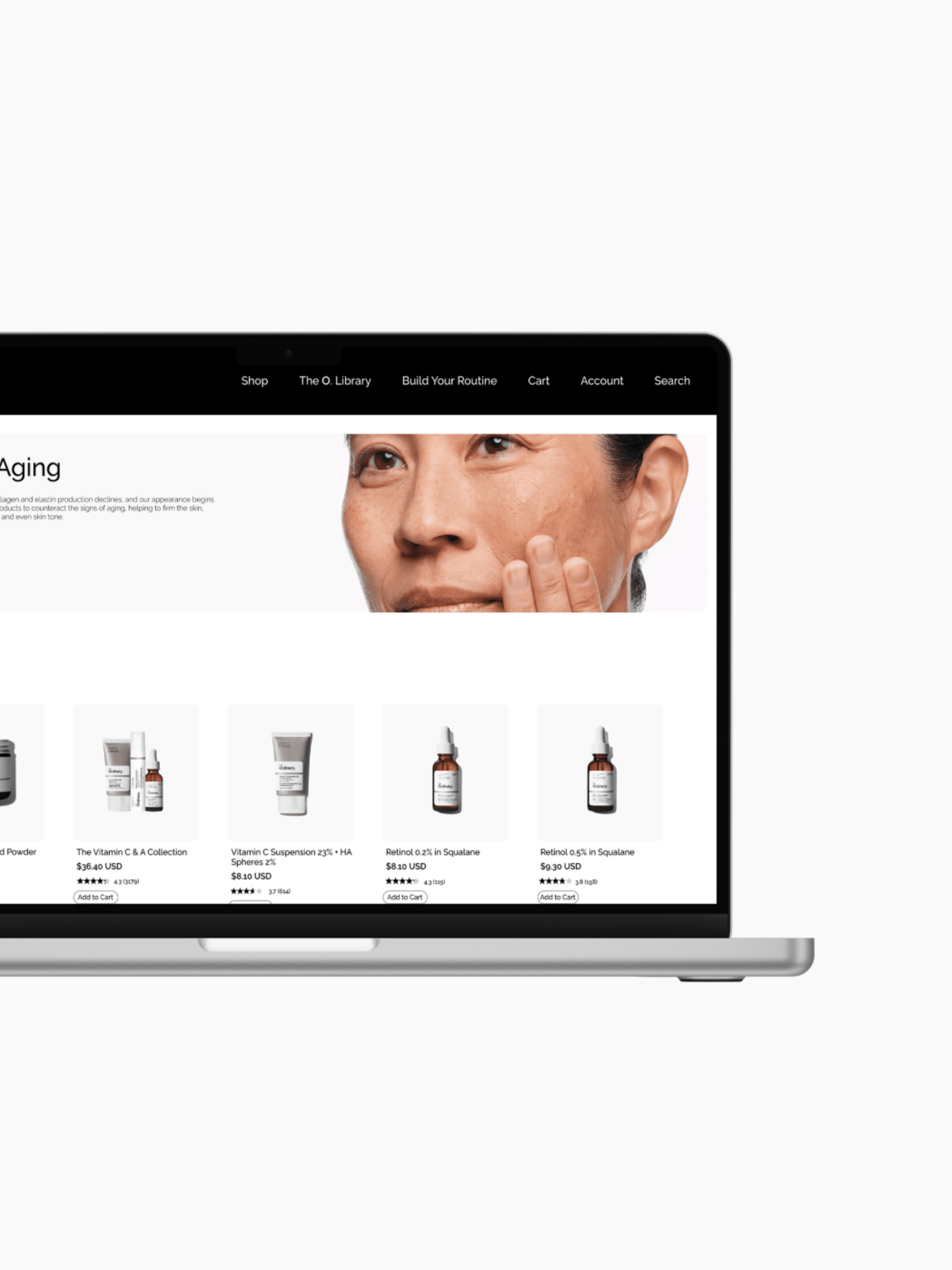
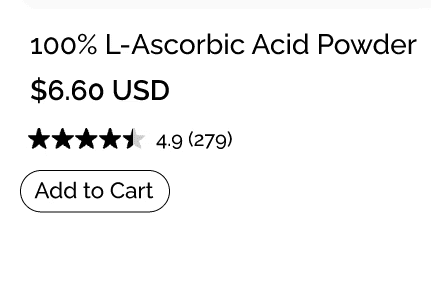
I redesigned the shop grid to reduce excessive white space that was pushing product details out of view. In the original layout, the 'Add to Cart' buttons were hidden below the fold. I optimized the card hierarchy so every product shows its essential info and CTA immediately, removing the need to scroll.

Unified Navigation
Optimized Viewports
Intentional Minimalism
The Challenge: The Art of Simple
The hardest part of this project was actually the simple part. Taking a lot of complex scientific information and redesigning it to look clean was a huge challenge. I had to find the sweet spot where the site felt full and professional but not crowded. I fixed the giant image problem and the "messy white space" issue by being very strict with my layout. If an element didn't help the user buy the product, I moved it or removed it.
Final Thoughts
Good design should feel as high-end as the product it sells. I removed the digital clutter to make a path that is smooth and easy to use. This website no longer confuses the customer; it shows what the brand is truly about: simple, clear, and direct.
Problem
Navigation Overload
The site uses three separate navigation bars. This forces the user to think too hard just to figure out where to click.
Scaling Issues
Product images are too large for the viewport. Users can't see the photo, price, and "Add to Cart" button in one view.
Information Density
Excessive white space in the wrong places makes the page feel both empty and messy at the same time.
Scaling Issues
Product images are too large for the viewport. Users can't see the photo, price, and "Add to Cart" button in one view.
Information Density
Excessive white space in the wrong places makes the page feel both empty and messy at the same time.
Solution
Unified Navigation
I merged three confusing menus into one clean navigation bar. By focusing on the links users actually need, I simplified the structure and made the layout feel much lighter.
Optimized Viewports
I redesigned product pages so all essential details are visible at once. By scaling photos to a better size, I brought the price and "Add to Cart" button into one clear, immediate view.
Intentional Minimalism
I removed the extra white space that pushed important product details out of view. I cleaned up the layout so every product card shows all the essential information immediately.
I wanted to create a high-end clinical feel. By being intentional with every pixel, I kept the signature look but elevated the experience to feel more expensive and polished.
Solution
I wanted to create a high-end clinical feel. By being intentional with every pixel, I kept the signature look but elevated the experience to feel more expensive and polished.
Unified Navigation
I merged three confusing menus into one clean navigation bar. By focusing on the links users actually need, I simplified the structure and made the layout feel much lighter.
Optimized Viewports
I redesigned product pages so all essential details are visible at once. By scaling photos to a better size, I brought the price and "Add to Cart" button into one clear, immediate view.
Intentional Minimalism
I removed the extra white space that pushed important product details out of view. I cleaned up the layout so every product card shows all the essential information immediately.
komalbp2006@gmail.com